AFD mockup

API Connect

Bridging technical requirements and human-centered design across complex enterprise workflows
An internal API connectivity experience used by development teams at Chubb.
ROLE
Primary UX designer
timeline
6 weeks (February - March 2026)
Team
Experience Design +
Development
Scope
Enterprise API workflows
This case study has been generalized to respect confidentiality. Product-specific information, data, and interface details have been omitted or recreated.

the starting point

From AI-generated interfaces to human-centered workflows
This project began with a set of interface concepts generated through Chubb’s internal AI design system. The development team had an initial direction, but the interfaces still needed to be reviewed, refined, and connected into a complete experience.

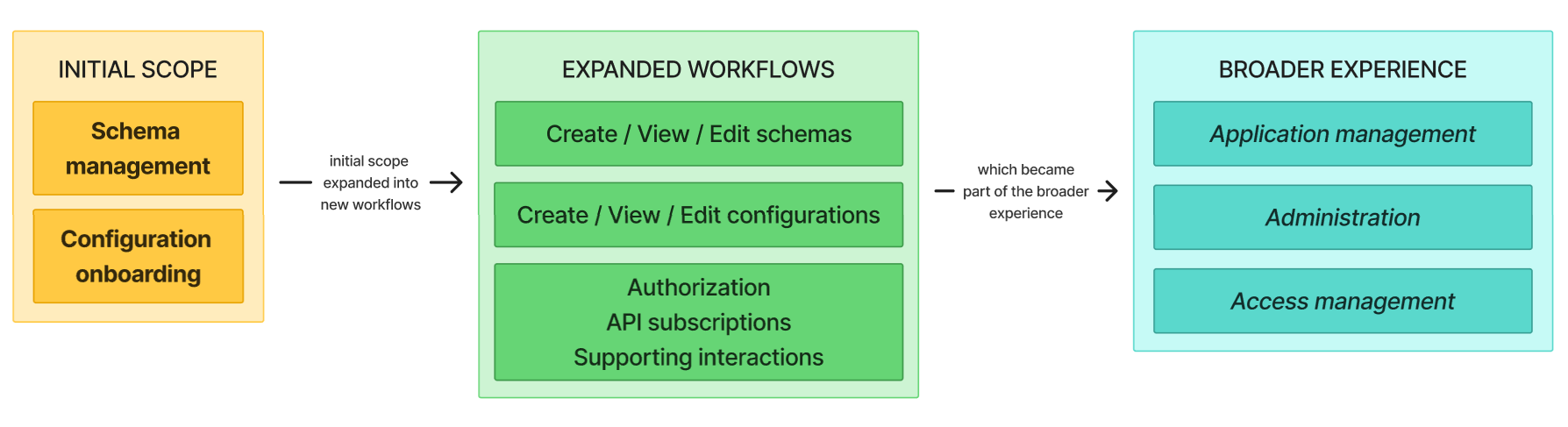
The initial requirements focused on two areas: schema management and configuration onboarding. As the project developed, new requirements introduced additional workflows for configuration management, authorization, API subscriptions, administration, and access management.

What started as a small set of pages quickly became a much larger network of connected interactions, making it important to think beyond individual screens and consider how the experience worked as a whole.

my role

Taking the lead on a growing project
I served as the primary Experience Designer, working closely with developers and product stakeholders throughout the project. My day-to-day work involved understanding technical requirements, designing the corresponding interactions and interfaces, building prototypes, and bringing them back to the team for feedback.

I was given a lot of independence in this role. My manager was available when I needed another perspective or help making a decision, but I took the lead on most of the design work and presented my designs during daily scrum meetings.

As requirements changed, I also had to revisit earlier decisions and figure out how new interactions could fit into existing flows. This became a major part of the project and pushed me to think more carefully about how individual design decisions affected the larger experience.

connecting the workflow

From individual pages to a connected experience
The project started with two main areas, but designing them revealed the need for additional pages and interactions. Each new requirement introduced another piece of the workflow, and I had to consider how it connected back to what had already been designed.

I mapped out the different paths users could take through the experience, including creating, viewing, and editing schemas and configurations, as well as managing related authorization and subscription settings. This helped me see where interactions could be combined, where steps were unnecessary, and where users might need different options depending on their role.

As the workflows grew, I kept the designs connected rather than treating each new requirement as a standalone screen. This became especially important when working through the more complex configuration and editing flows.
3-part diagram showing how initial scope tasks grew into expanded workflow tasks, which became part of the broader experience

designing for complexity

Balancing roles, actions, and changing requirements
The configuration workflows quickly became one of the most complex parts of the project. Different users had different permissions and actions, while new development requirements continued to change how earlier interactions needed to work.

Rather than designing each request in isolation, I looked at the full workflow to understand which steps were necessary, which could be combined, and where different users needed different options. This helped me streamline interactions while keeping the flexibility required by the development team.

The Edit Configuration flow required the most iteration. I initially designed the flow around the understanding that developers could update, confirm, validate, and submit mappings. A later clarification from the development team introduced two distinct roles with different permissions: developers could update and confirm mappings, but a product owner needed to validate them before the developer could submit the finalized mappings.

This changed more than the sequence of actions. I also had to rethink the interface views, permissions, and editability for each role. I designed and presented the Edit Configuration experience from both perspectives to demonstrate how the interface should change based on the user's role and where the configuration was in the workflow.

This process strengthened my systems thinking and ability to translate evolving technical requirements into clear, role-based interactions without losing sight of the overall user flow.
from code to interface

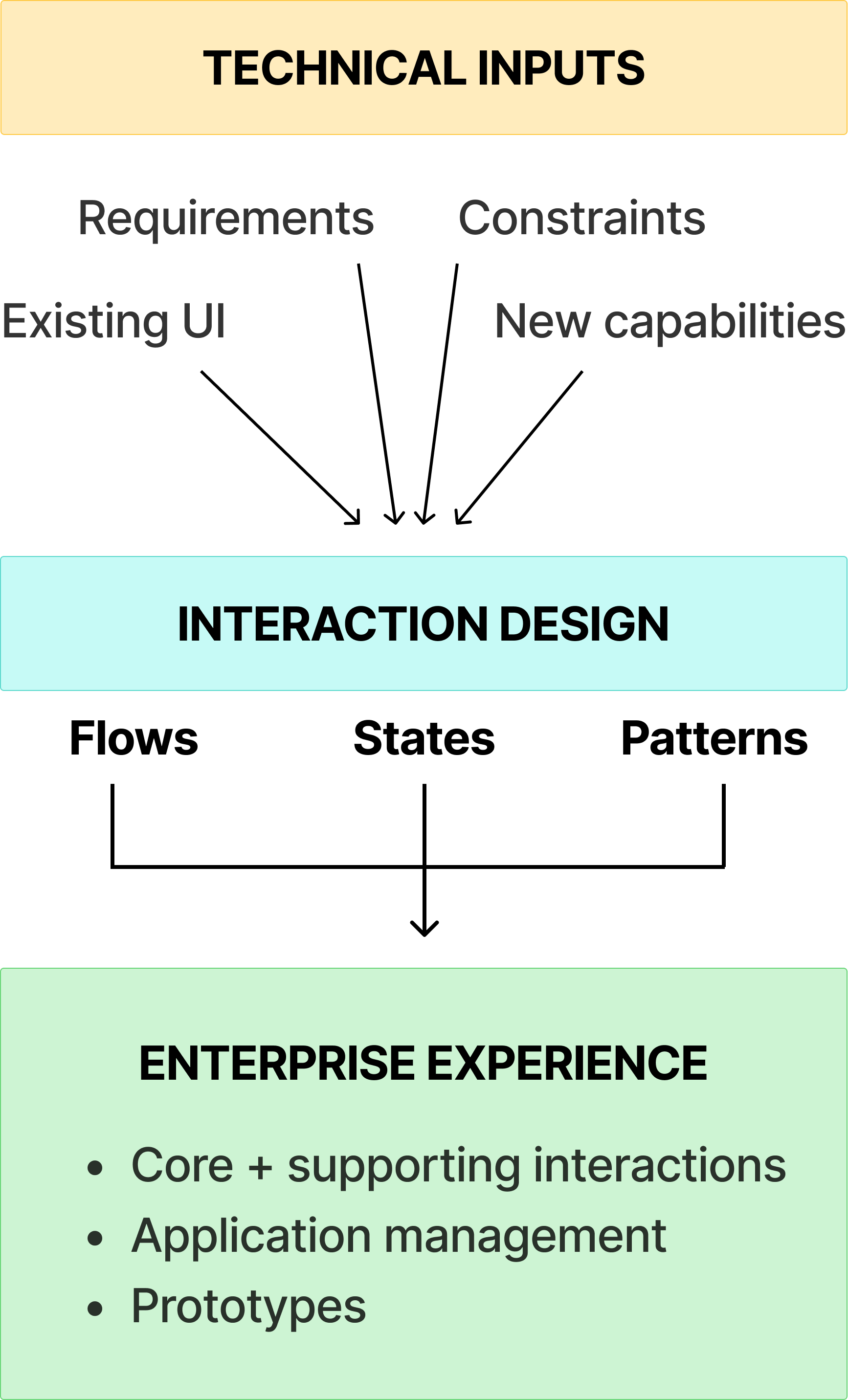
Translating technical requirements into usable interactions
One of the more technically complex parts of the project was designing the mapping methods within Edit Configuration. Each method required different inputs, formats, and code, with reference code provided by the development team to define what each interaction needed to support.

I used my programming background to break down these requirements and determine how they should translate into the interface. I identified which fields were required, optional, pre-filled, or dependent on the selected mapping method, then designed the appropriate input patterns and interaction states for each case.

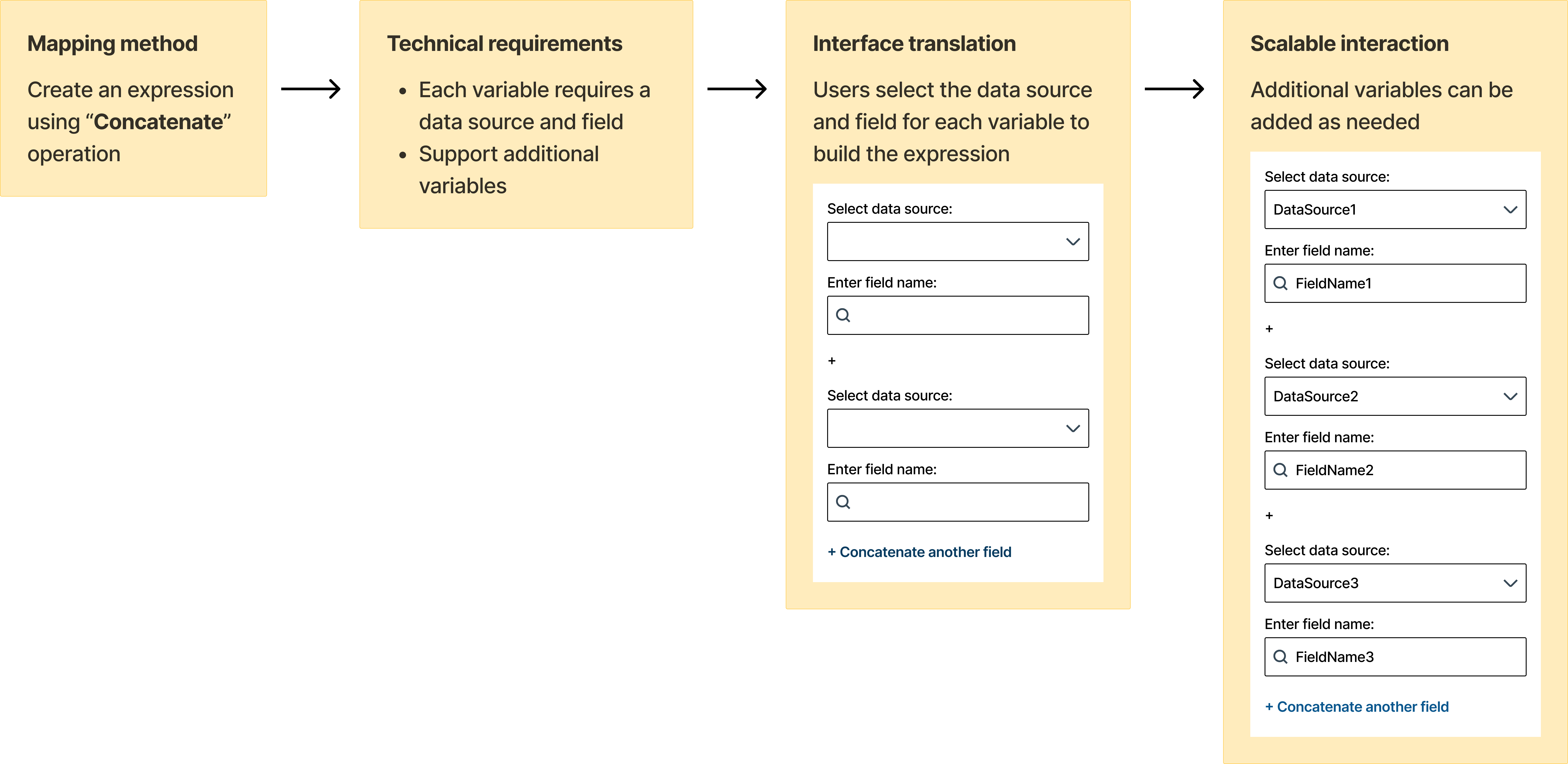
One example was the Concatenate mapping method, which allowed users to combine multiple fields into a single expression. Because the expression could contain more than two fields, I designed a repeatable input pattern with data source and field selections, along with a “Concatenate another field” action that dynamically added another set of inputs. This allowed the interface to support expressions of varying lengths without creating separate flows for each case.

Working through these requirements helped me bridge the gap between technical logic and interaction design, while also giving the development team a design that accurately reflected how the functionality needed to work.
Diagram explaining the UI translation of the Concatenate expression

designing for AI-assisted workflows

Integrating a new capability into an existing experience
Partway through the project, the development team introduced AI-assisted mappings, which could automatically match configuration inputs to available fields. Because this capability could be used at different points in the configuration process, I needed to integrate it without disrupting the existing workflow.
‍
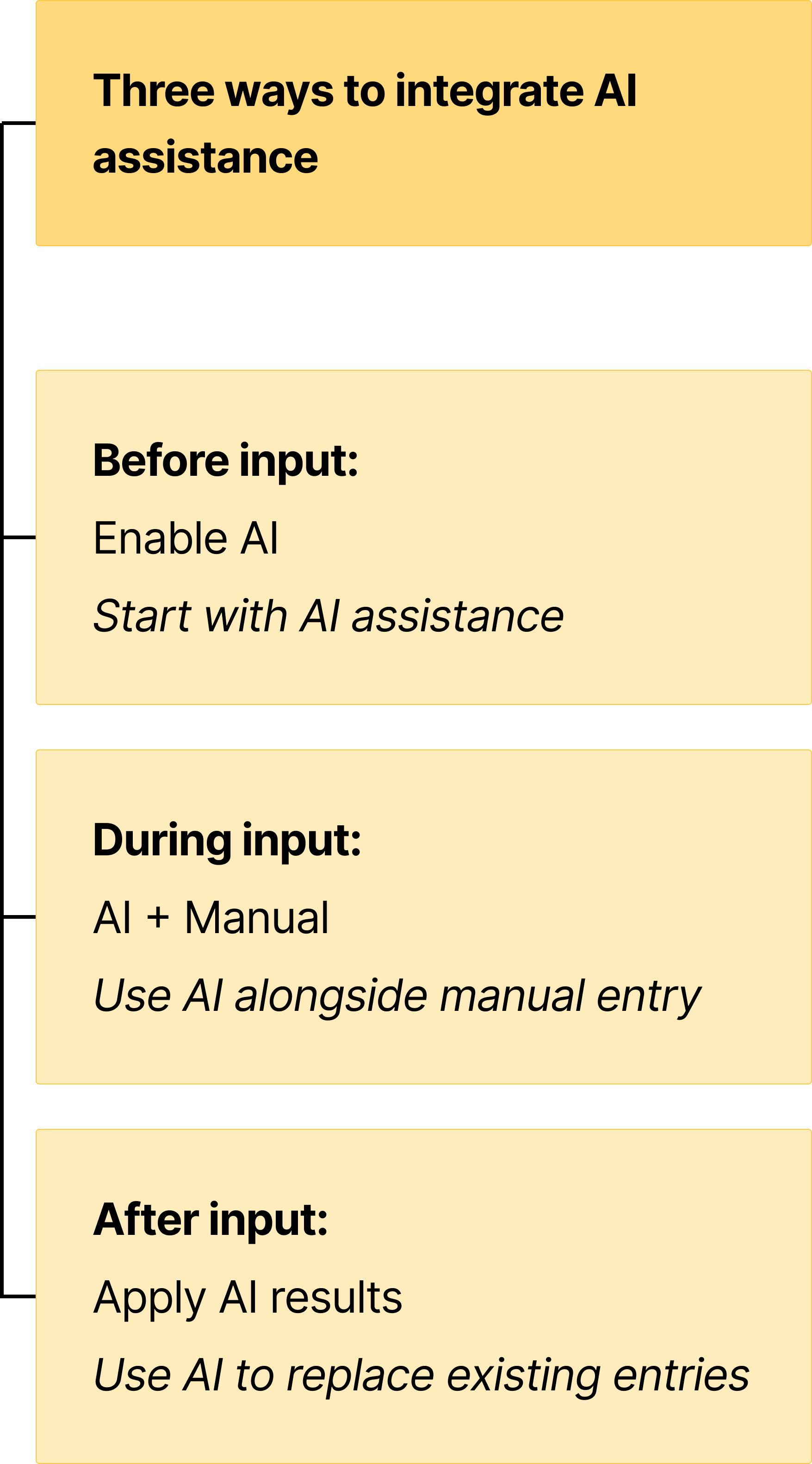
I explored how AI-assisted mapping could support users at three points: before entering inputs, alongside manual entry, or after inputs had been entered. This led to different interaction patterns, including an option to enable the feature at the start of the flow, contextual access within individual inputs, and the ability to use AI-generated mappings to replace manually entered values.

The challenge was giving users access to a new automated capability while keeping existing manual workflows intact. I designed the interactions so AI assistance could be enabled, used, or reversed without preventing users from completing the configuration manually.

The resulting design gave the development team a clear way to integrate the new functionality while preserving the structure of the existing experience.
Diagram stating 3 ways to integrate AI assistance in mappings

iterating with the development team

Designing through continuous feedback
Because the project was closely tied to development requirements, design was an ongoing conversation rather than a one-time handoff. I brought my work into daily scrum meetings, where I presented new designs, walked through interactions, and gathered feedback directly from the development team.

These conversations helped me clarify technical requirements, identify edge cases, and make decisions before designs progressed too far. When feedback introduced new constraints or changed an existing requirement, I returned to the affected flows and adjusted the design accordingly.

I also took ownership of documenting feedback and keeping the Figma file organized as the project grew. This created a fast iteration cycle between requirements, design, and development while keeping the evolving experience connected.

Presenting my work regularly also helped me become more confident communicating design rationale and explaining how my decisions addressed both user needs and technical requirements.
looped diagram of the design process used for this project

delivering the experience

Organizing complex workflows for handoff
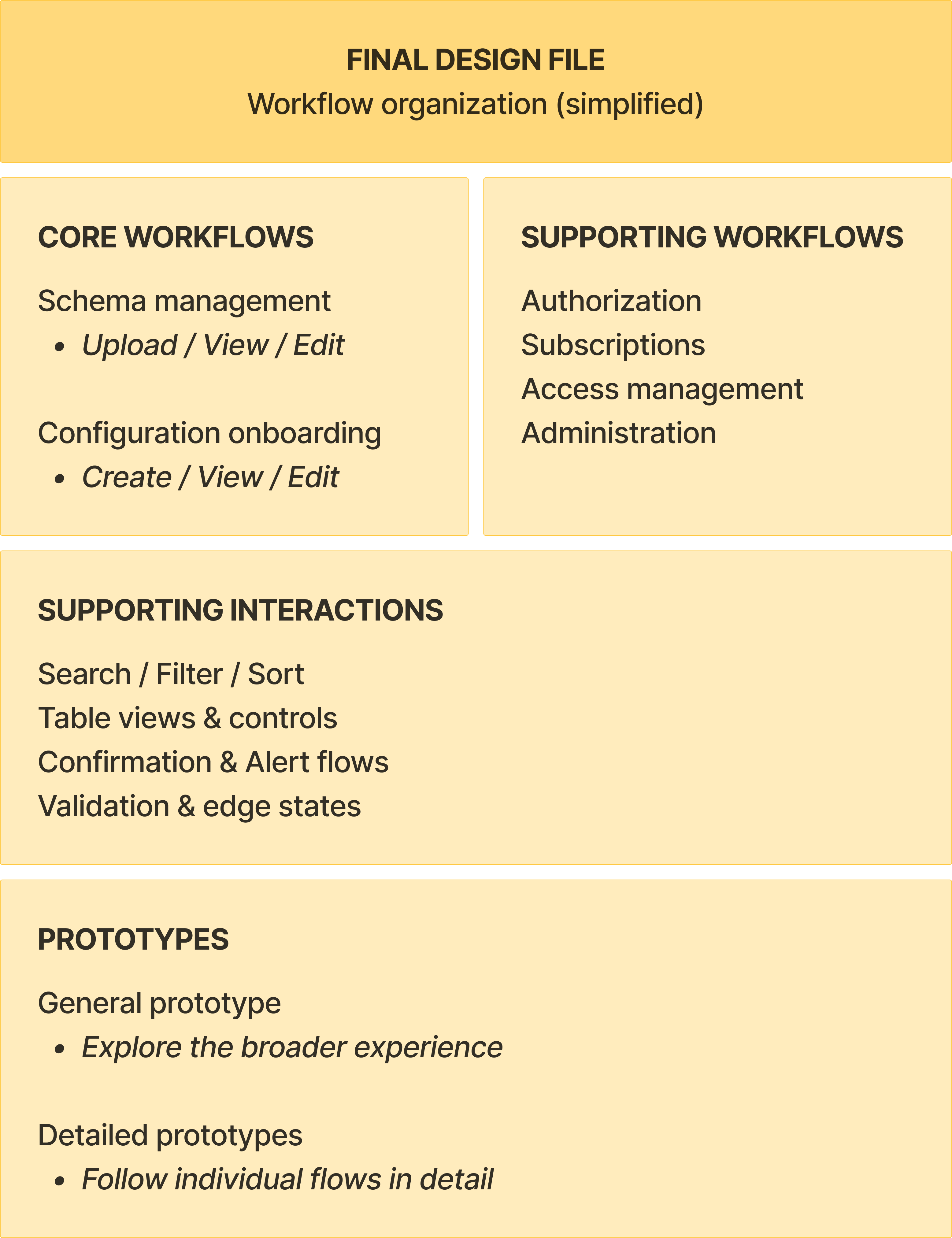
I brought the project together in a structured Figma file organized around the different workflows and interactions that made up the experience. Rather than treating each screen as a standalone deliverable, I grouped related work together so the development team could follow how workflows connected and how different interactions supported them.

I created two levels of prototyping: a general prototype for exploring the broader experience and more detailed, booklet-style prototypes for individual flows that required closer interaction detail. This allowed me to communicate both the overall structure of the experience and the specific interactions needed for implementation.

The final file served as a central design reference for the project, bringing the connected workflows, interaction options, and design decisions into one organized handoff.
diagram showing a high-level organization of the final design file
Simplified representation of the design file organization. Product-specific details have been generalized for confidentiality.

takeaways

Designing between technical systems and human needs
This project strengthened my ability to work at the intersection of UX, technology, and product requirements. I learned to approach complex enterprise workflows as connected systems, translate technical logic into understandable interactions, and adapt designs as requirements evolved.

My development background became especially valuable throughout the project. Understanding technical requirements helped me ask better questions, communicate more effectively with developers, and create designs grounded in how the experience needed to function.

Most importantly, the project gave me greater confidence working independently within a cross-functional team, presenting design decisions, and taking ownership of complex interaction design from requirements through handoff.
takeaways of the project: technical translation, systems thinking, and cross-functional collaboration

interested in seeing more of my work?

Explore my other projects to see how I approach user research, interaction design, and accessible experiences across different contexts.
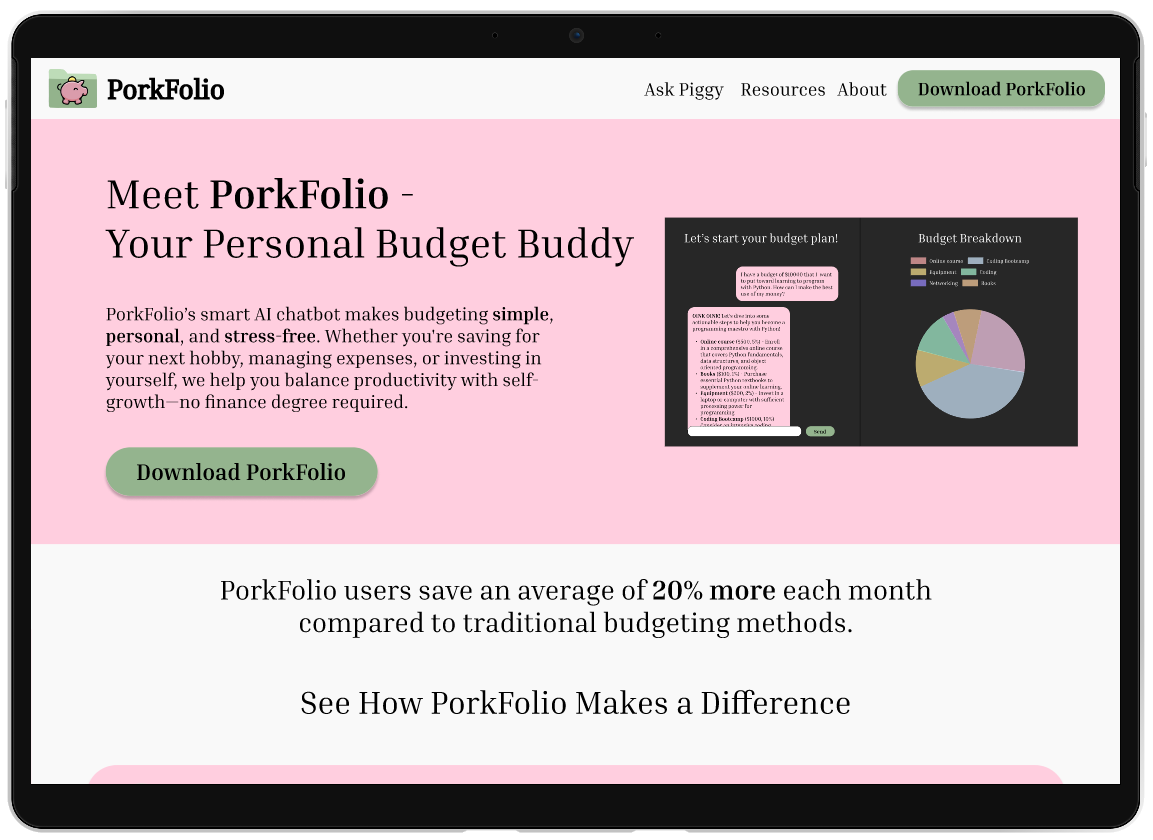
Mockup of the PorkFolio website displayed in a tablet screen.
porkfolio
UI/UX Design, Front-End Development, AI Integration
Allergy-friendly Dining
UX Strategy, Inclusive Design, Design Systems